MOBILE APP • 2024
Workforce management app to track employees and their shifts
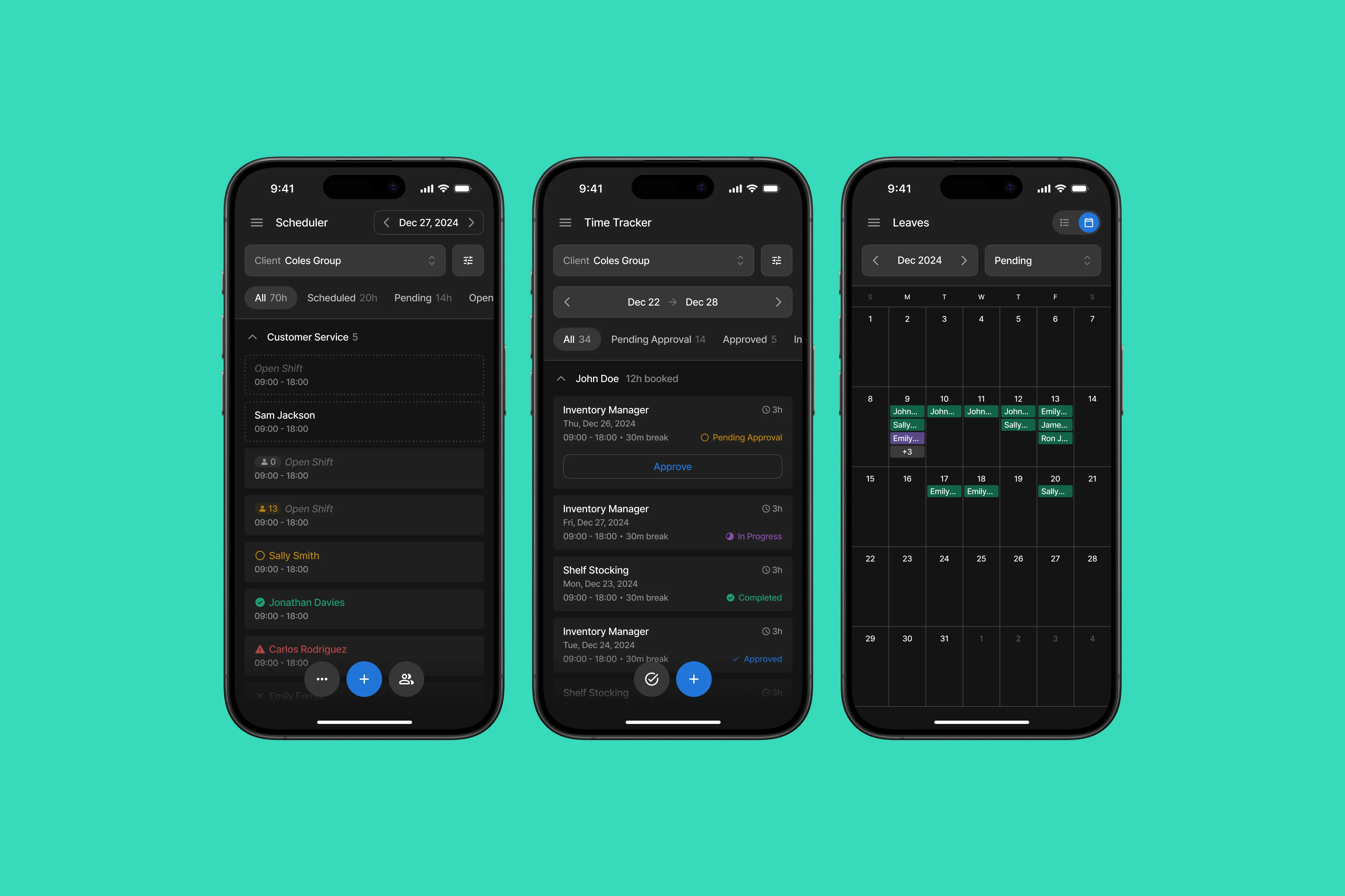
The workforce management app lets its users track and manage contractual employees and their shifts from anywhere. The client was already using a web portal for this, but they felt constrained as the portal was not fit for mobile screens.
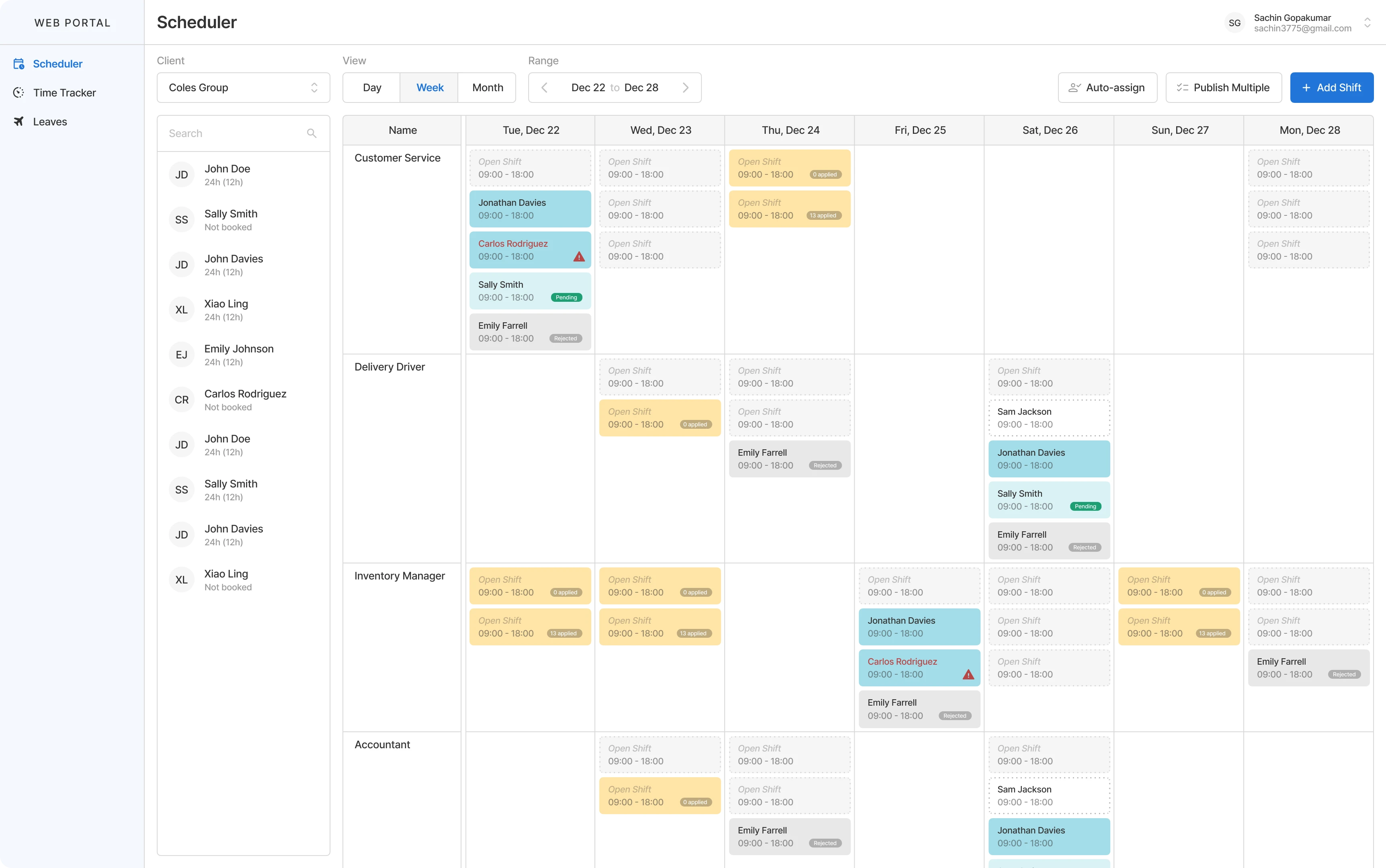
A rough alternate visualization of the existing web portal, as the original UI is protected under an NDA.
ADAPTING FOR MOBILE
User flows in a desktop-only interface will always have a certain amount of complexity that cannot be reduced, which poses a challenge for adapting it to mobile screens.
The planning stage mostly involved choosing what flows to include and exclude in the mobile app. The client had a comprehensive user manual for the portal, but it was not always convenient for my team to use as a reference. So I mapped out the core user flows of the portal and used them as visual guides for our discussions.
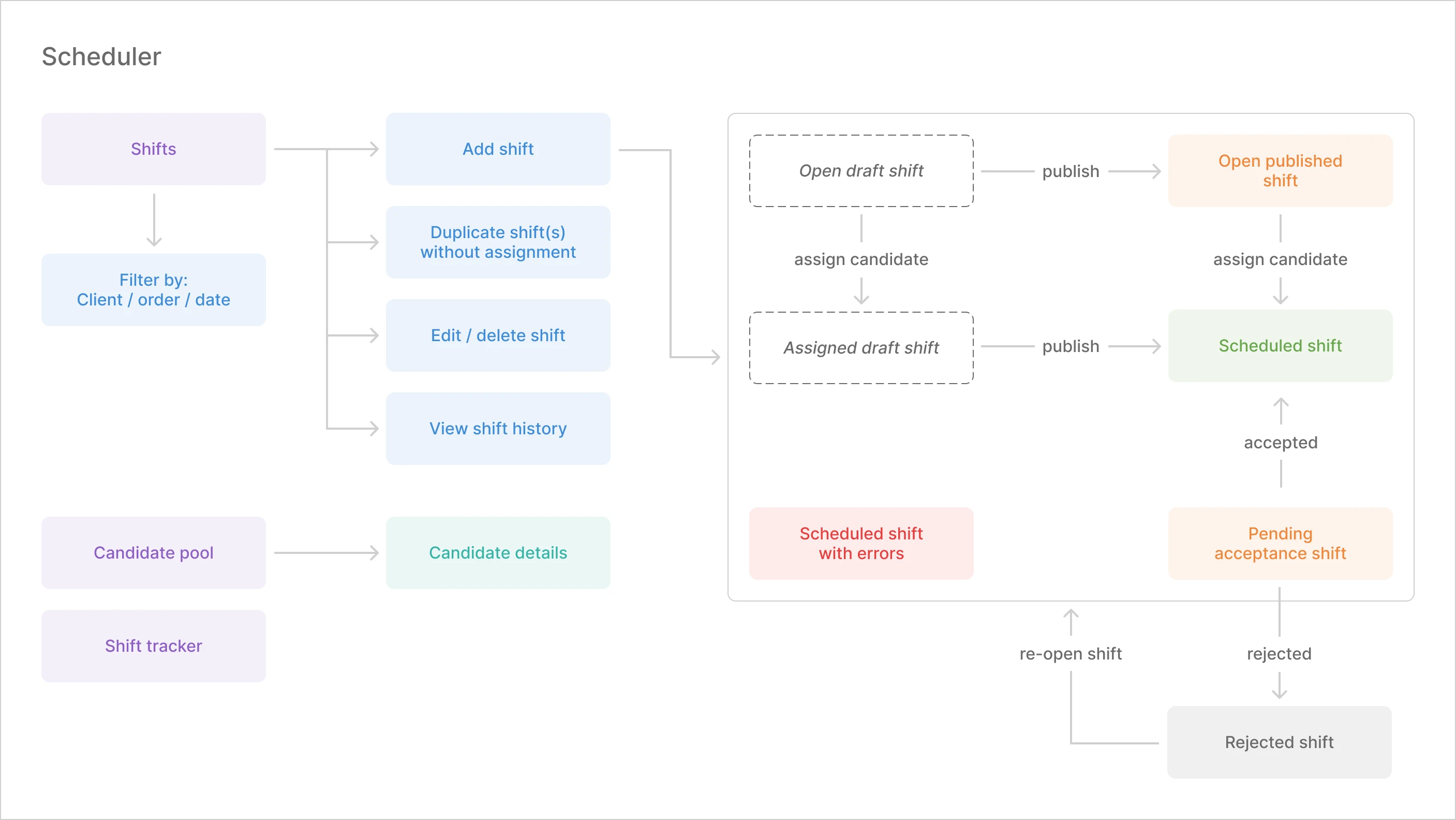
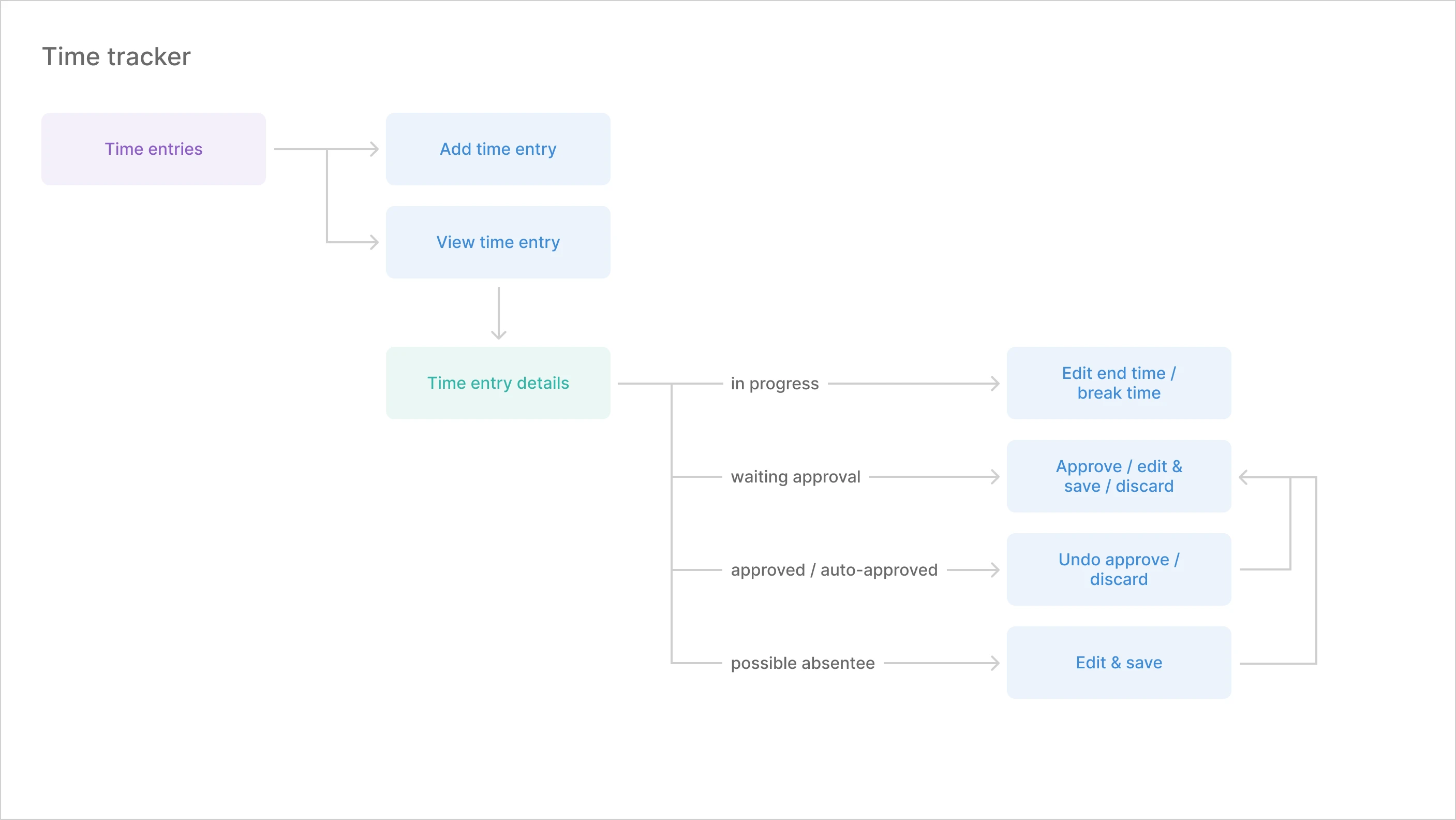
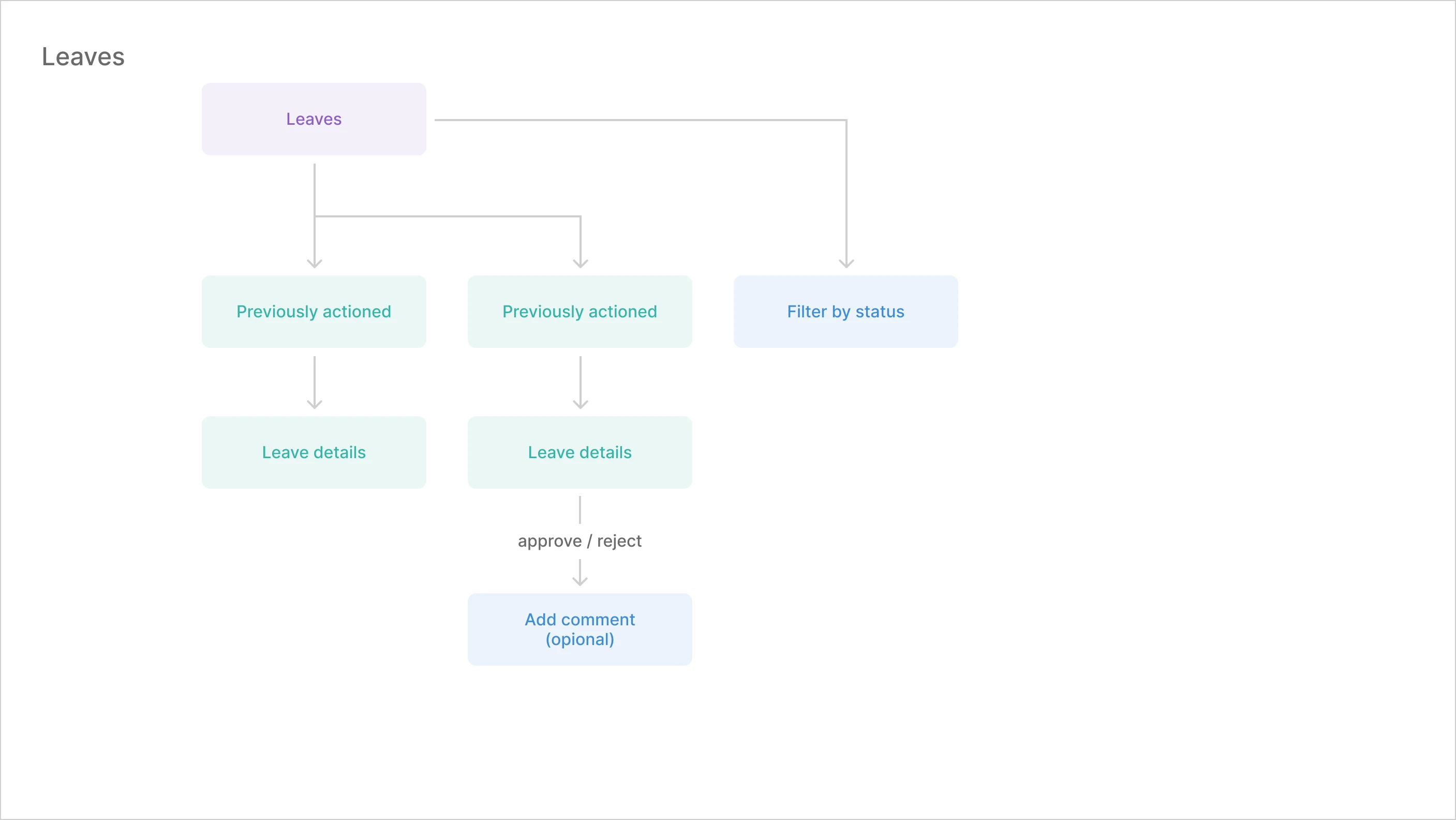
We used the client's existing design system to transform the refined user flows into the final UI design. The design system was already quite extensive, but we also made minor adjustments as and when needed.
FINAL DESIGN
Scheduler
Shifts are managed in the scheduler. Users can go through dates to view various shifts, create new shifts and see who's available to work.
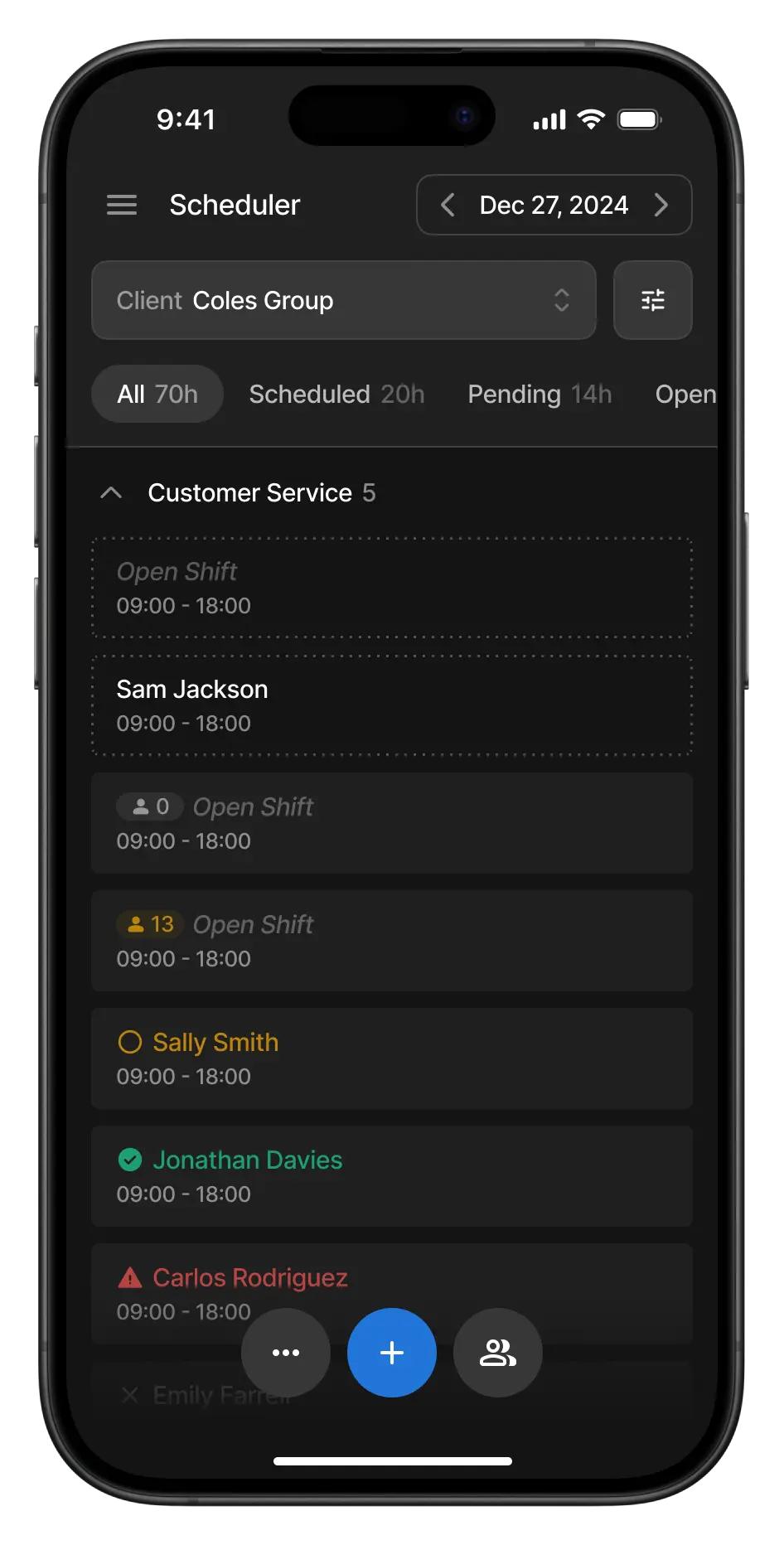
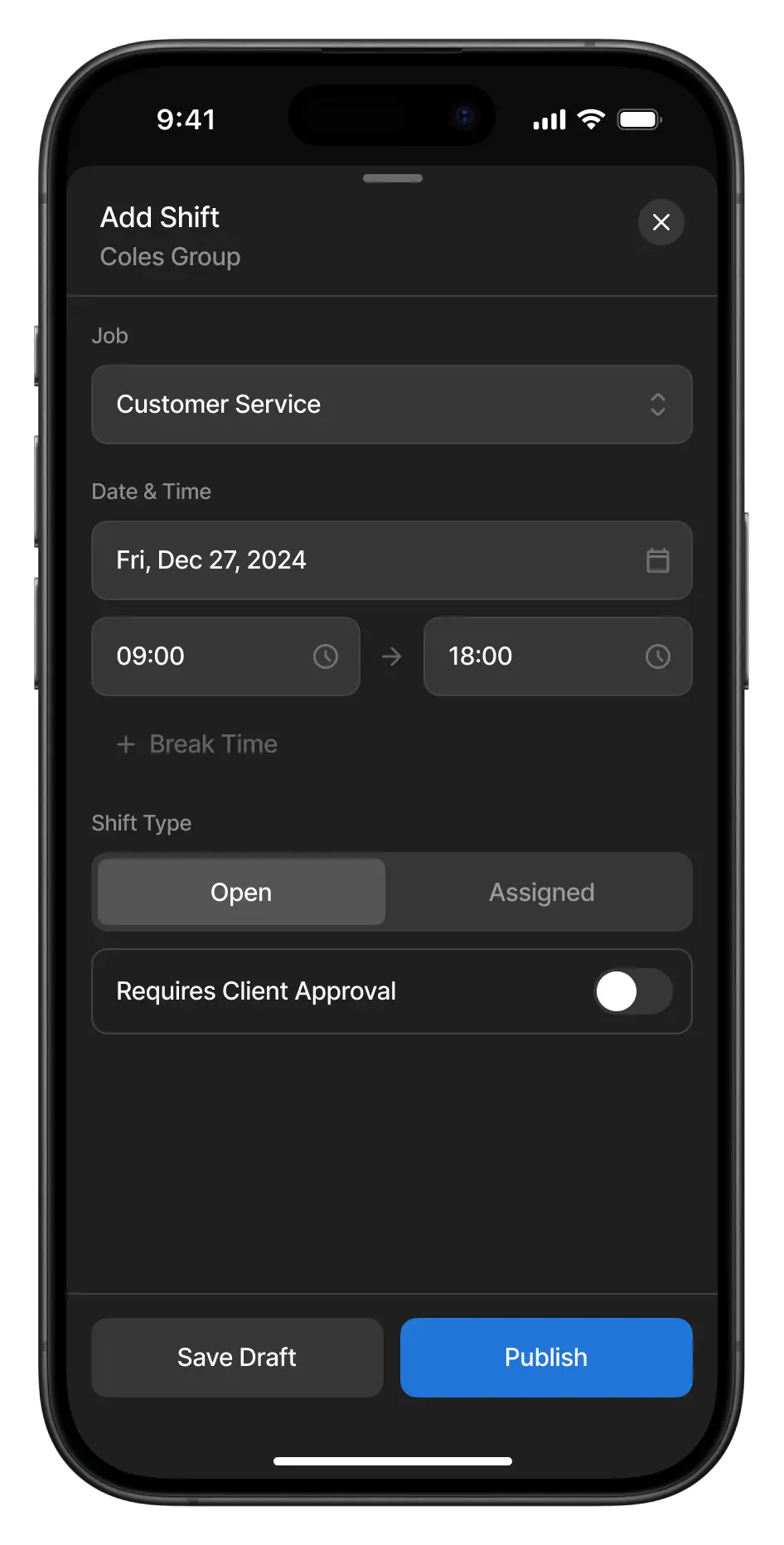
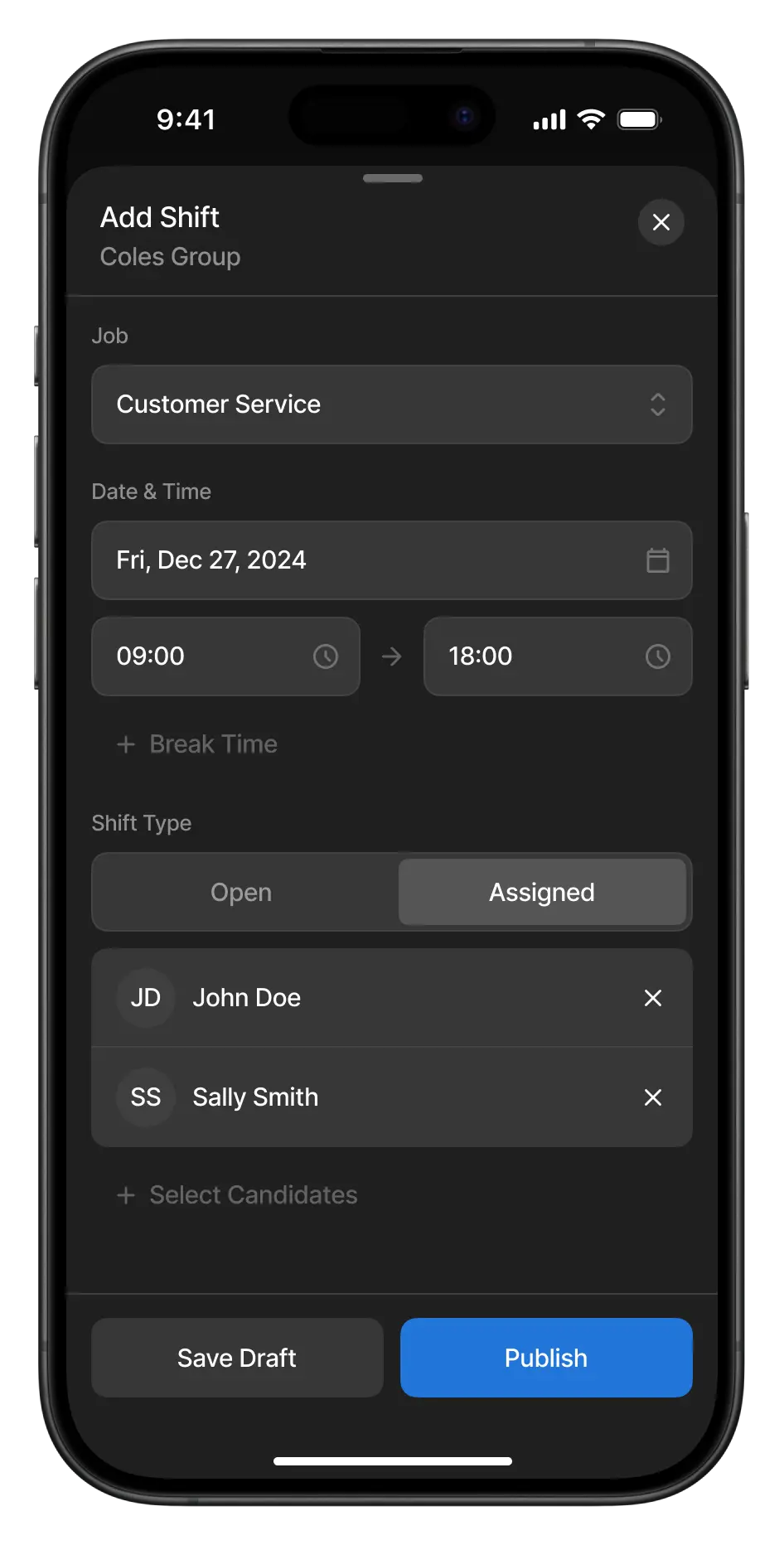
View all shifts for the day at a selected establishment & add new ones as open to anyone or pre-assigned.
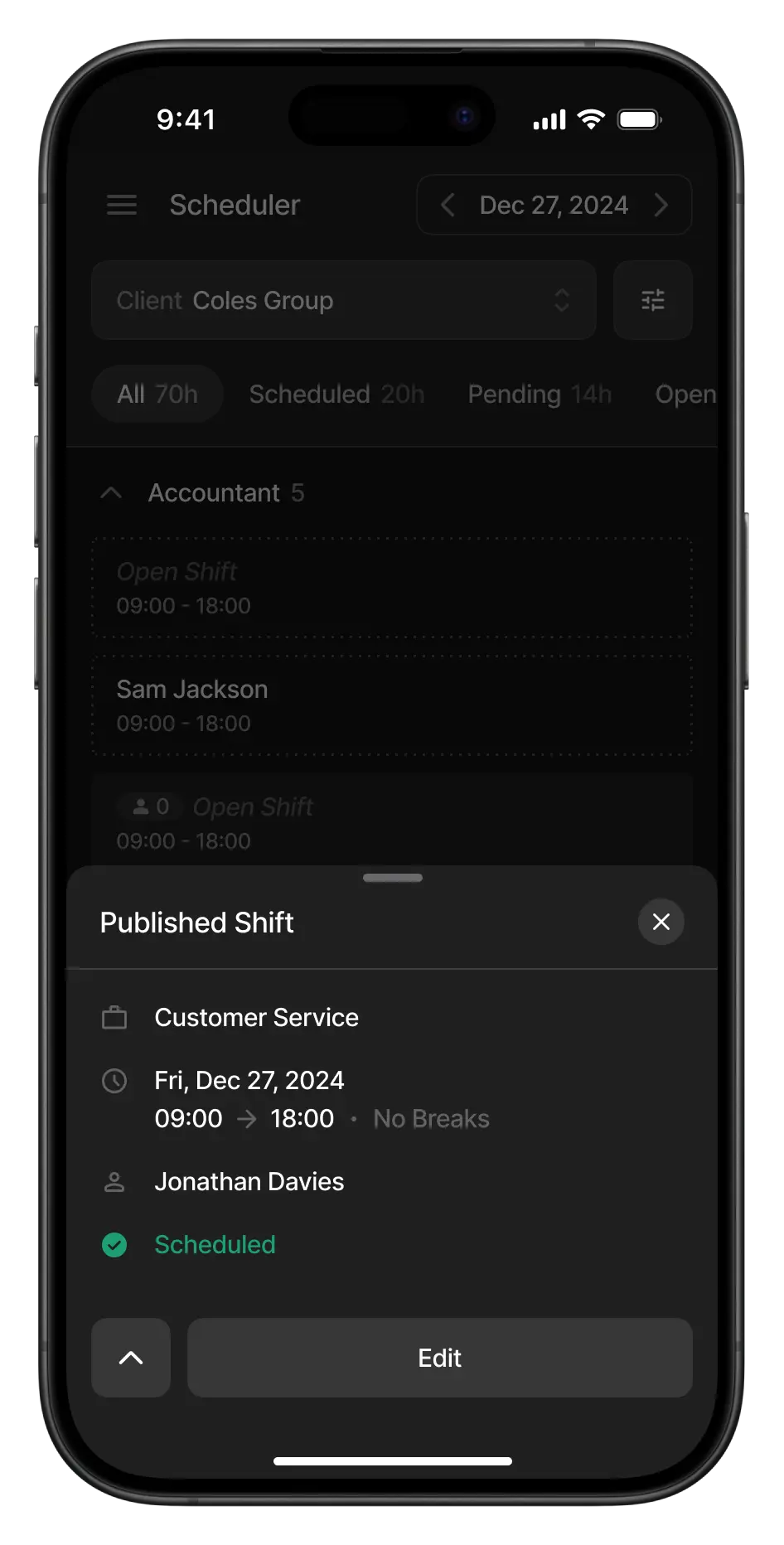
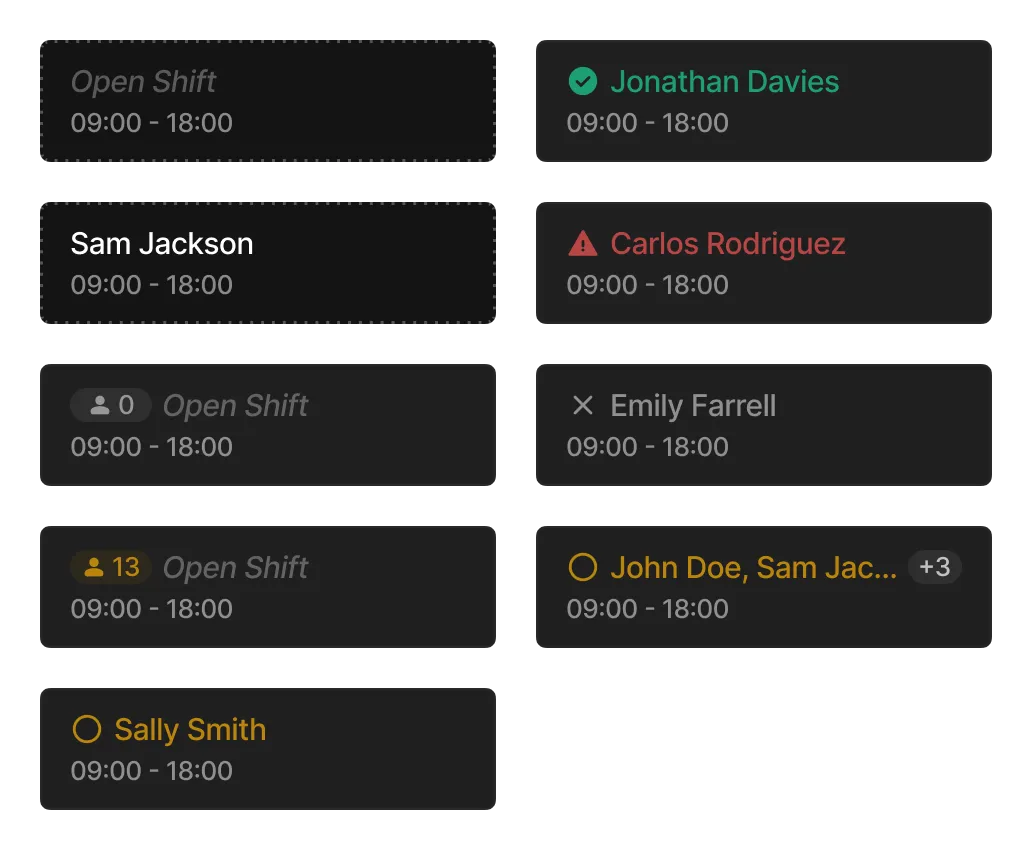
Shifts come in different types.
Time Tracker
Timesheets submitted by candidates when starting their shifts are accumulated here as "time entries" for the user to monitor and approve. Users can also manually create time entries if needed.
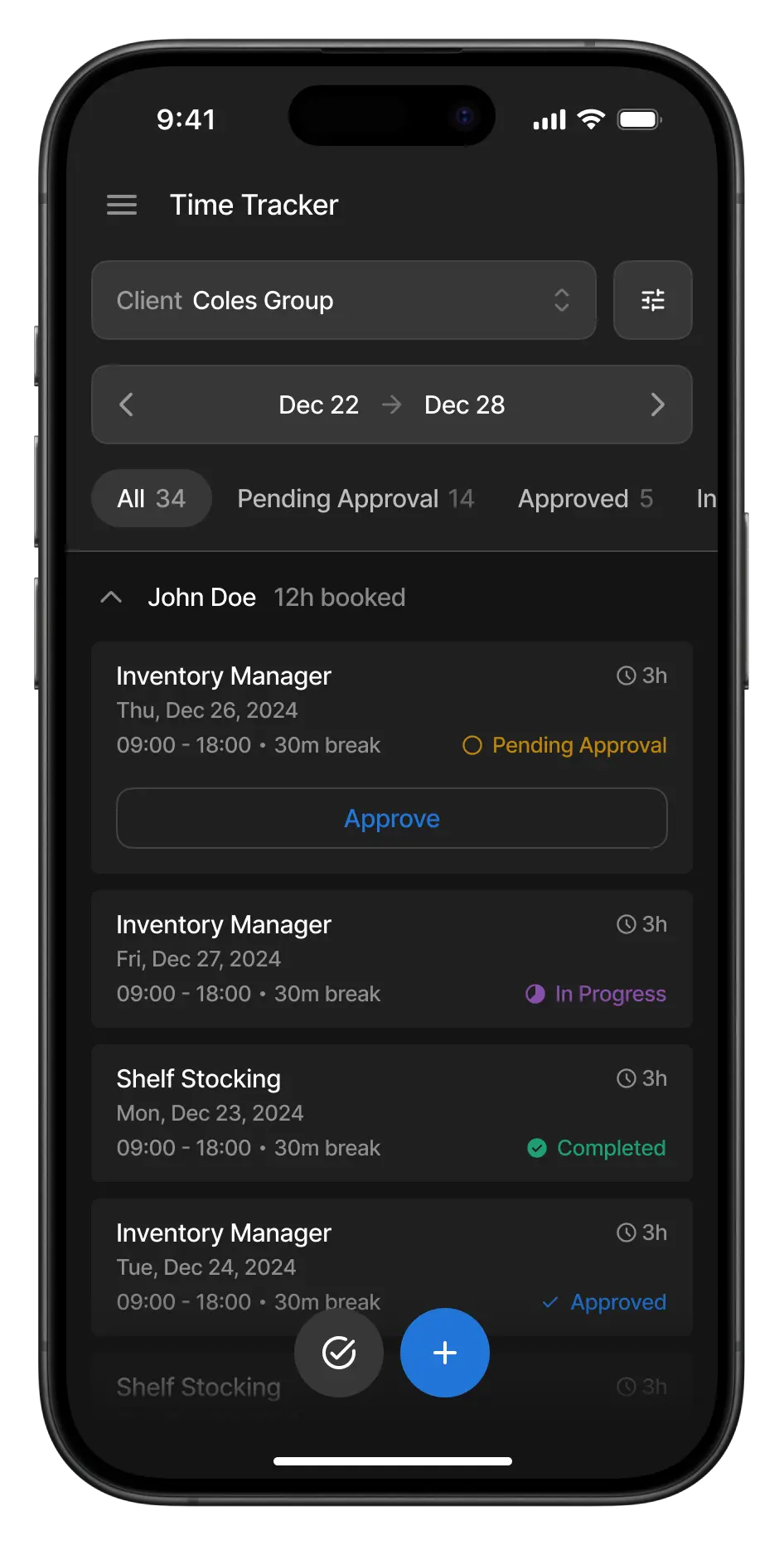
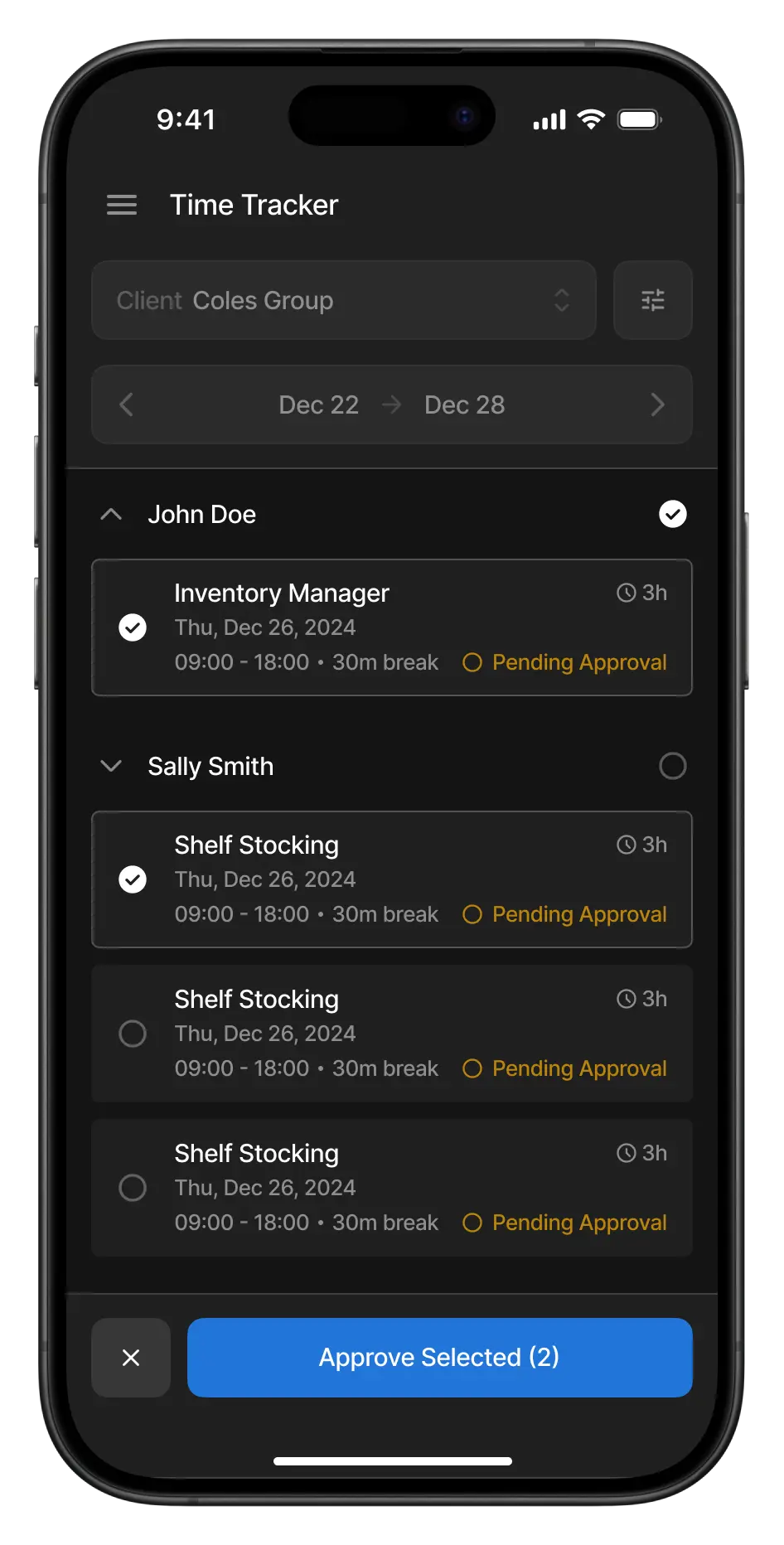
As the work day ends, new time entries keep coming in for approval.
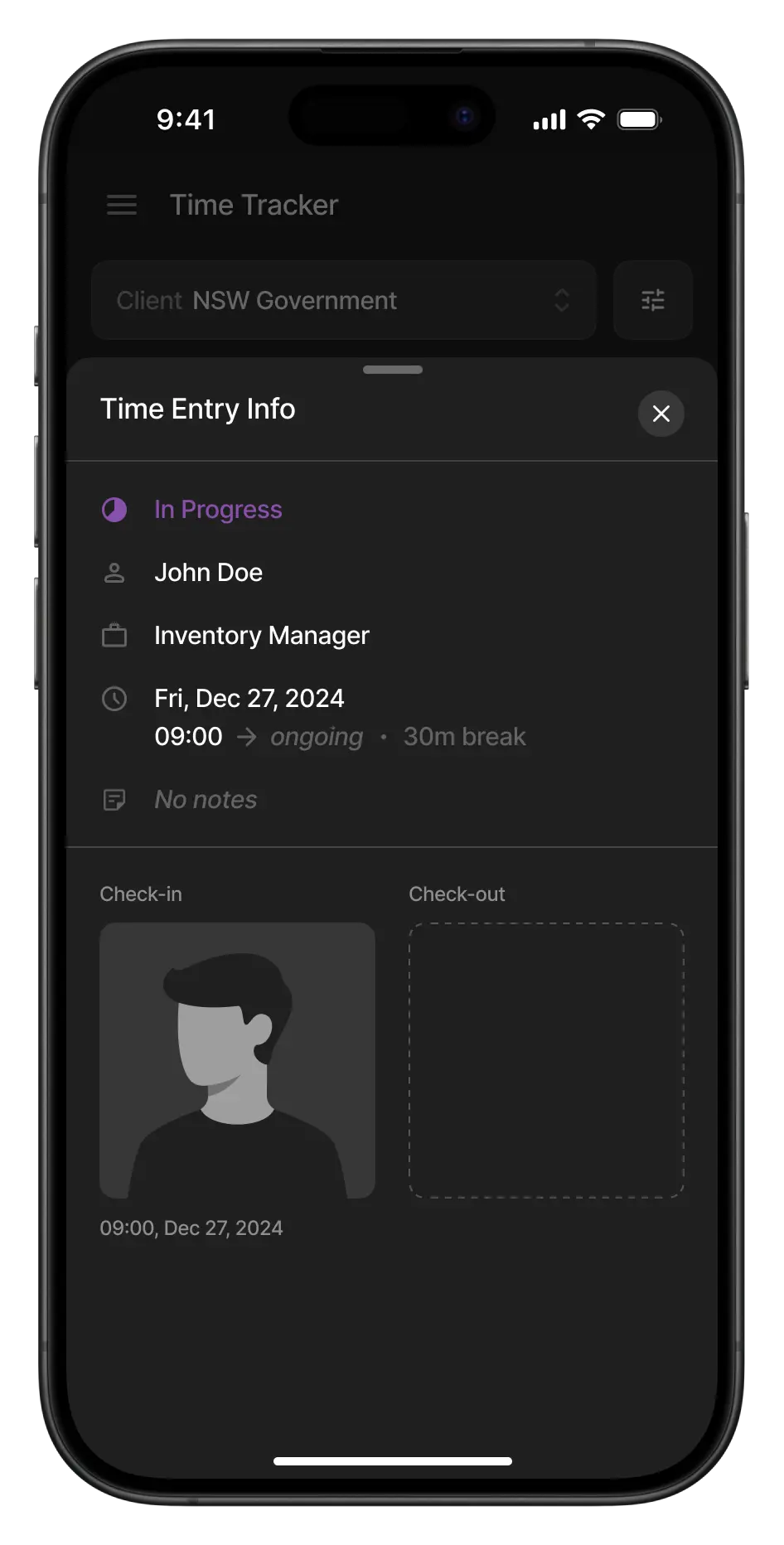
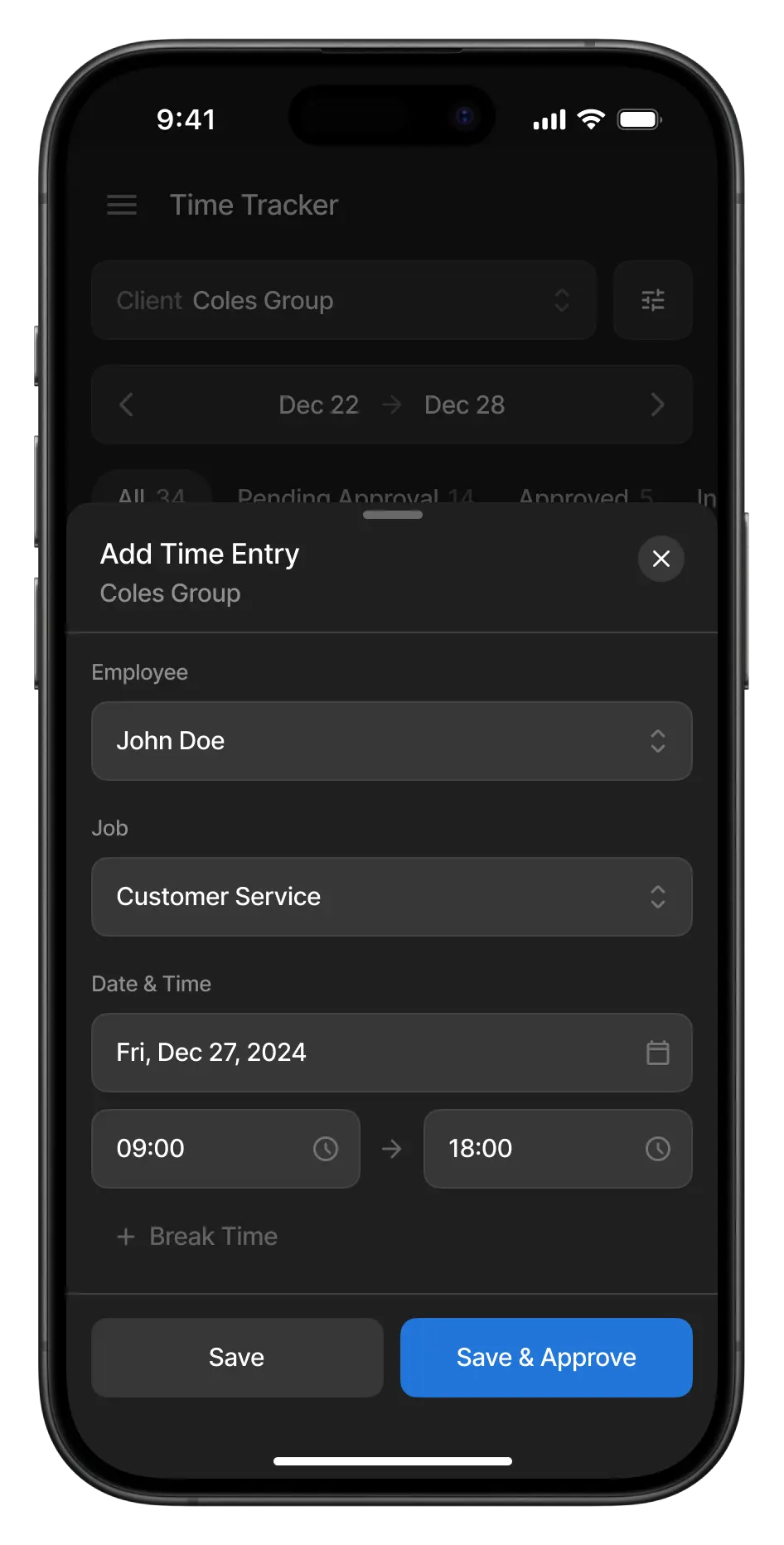
View time entry info & add a time entry manually.
Leaves
Leaves can be tracked in a list view and a calendar view. They are categorized into pending and previously actioned.
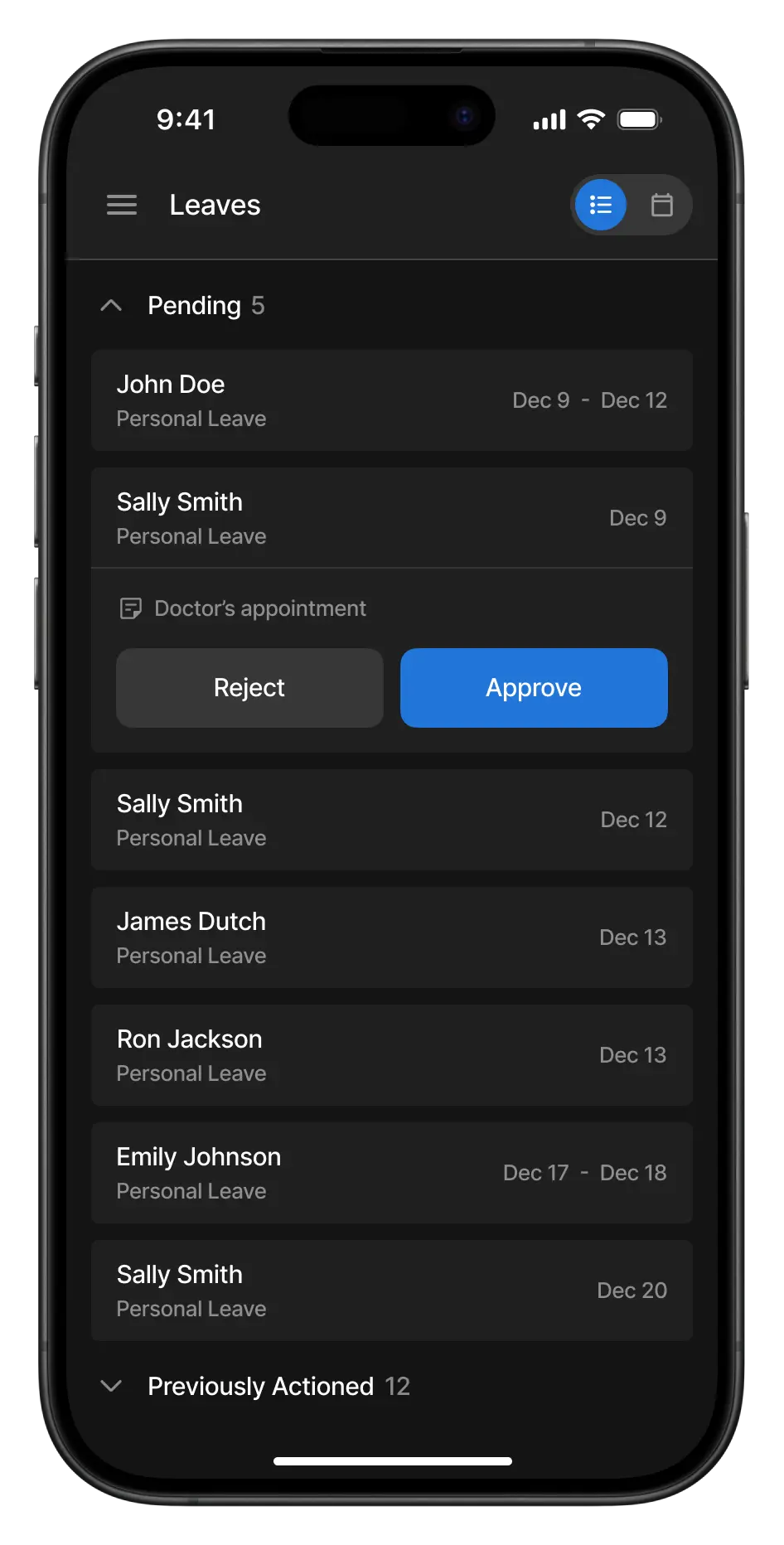
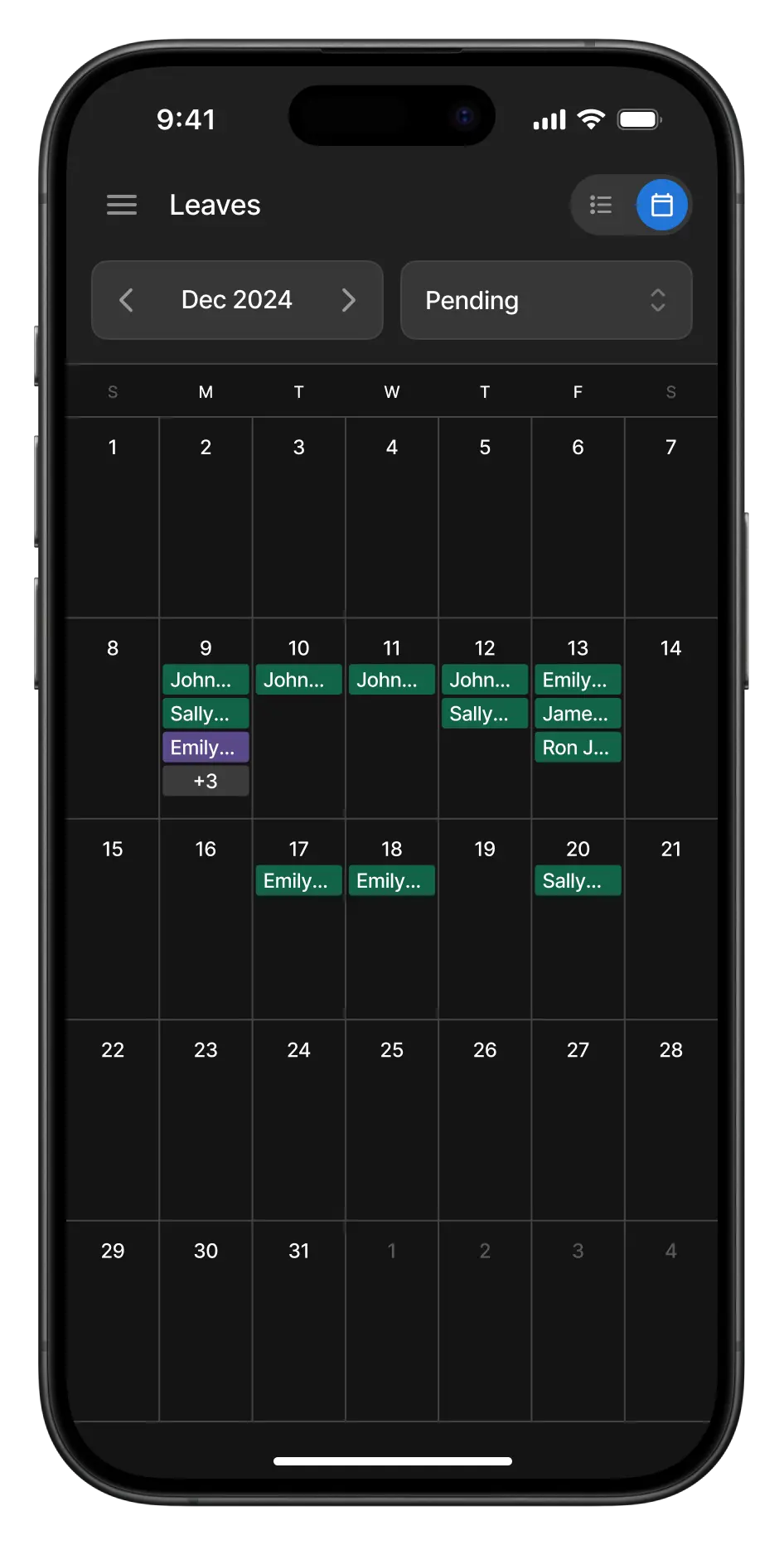
List view & calendar view.
OUTCOME
Over a period of 4 months after launch, we observed a good increase in user activity from the app.
+15%
unique logins
+36%
shifts created
+31%
time entries approved
The app was met with high praise by the stakeholders, who highlighted that the onboarding and training planned for the app's launch were cut short, as their internal users were able to jump right in without needing much help. At the time of writing this case study, the app continues to be improved with quality-of-life updates, with a future plan to refresh the web portal's visual design to match the app.